Building a Modern Web Portfolio with Next.js: A Complete Guide for 2025
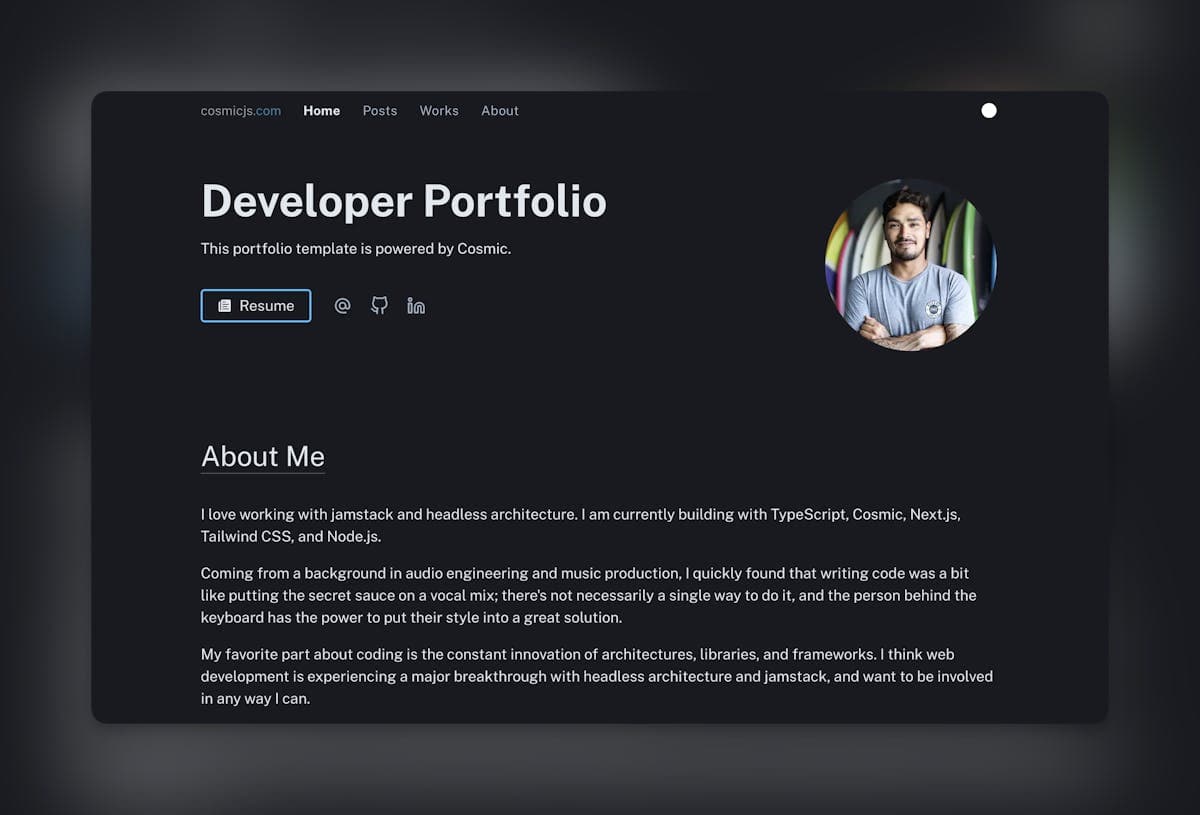
Building a Modern Web Portfolio with Next.js: A Complete Guide for 2025
In today's competitive tech landscape, having a standout portfolio isn't just an option—it's a necessity. As we move into 2025, the expectations for developer portfolios have evolved significantly. This comprehensive guide will walk you through building a modern, performant portfolio website using Next.js 14, React Server Components, and cutting-edge web development practices.
Why Next.js for Your Portfolio?
Next.js has established itself as the premier framework for React applications, and with the release of version 14, it's more powerful than ever. Here's why it's the perfect choice for your portfolio:
1. Unmatched Performance
- Server Components: Write React components that run on the server for faster page loads
- Streaming SSR: Progressive rendering for improved user experience
- Automatic Image Optimization: Built-in handling of modern image formats and responsive sizes
2. Developer Experience
- TypeScript First: Built-in TypeScript support for type safety and better tooling
- Hot Reload: Instant feedback during development
- File-System Based Routing: Intuitive page and API route creation
3. SEO and Analytics
- Metadata API: Easy management of SEO metadata
- Built-in Analytics: Track performance and user behavior
- Zero Config: Works out of the box with major analytics platforms
Getting Started
Let's dive into creating your portfolio. First, set up a new Next.js project with all the modern tooling:
npx create-next-app@latest portfolio --typescript --tailwind --app --src-dir --import-alias "@/*"
cd portfolio
Project Structure for Scalability
A well-organized project structure is crucial for maintainability. Here's our recommended setup:
portfolio/
├── src/
│   ├── app/
│   │   ├── (routes)/
│   │   │   ├── about/
│   │   │   ├── blog/
│   │   │   └── projects/
│   │   ├── layout.tsx
│   │   └── page.tsx
│   ├── components/
│   │   ├── ui/
│   │   └── sections/
│   ├── lib/
│   │   ├── hooks/
│   │   └── utils/
│   └── styles/
├── public/
└── content/
    └── projects/
Essential Features for a Modern Portfolio
1. Performance Optimization
Implement these crucial performance features:
// app/layout.tsx
export const metadata = {
  metadataBase: new URL('https://yourportfolio.com'),
  title: {
    default: 'Your Name | Portfolio',
    template: '%s | Your Name'
  },
  description: 'Professional portfolio showcasing web development projects and expertise',
  openGraph: {
    type: 'website',
    locale: 'en_US',
    url: 'https://yourportfolio.com',
    siteName: 'Your Name Portfolio'
  }
};
2. Responsive Design
Use Tailwind CSS for a mobile-first approach:
// components/ui/container.tsx
export function Container({ children }: { children: React.ReactNode }) {
  return (
    <div className="w-full max-w-7xl mx-auto px-4 sm:px-6 lg:px-8">
      {children}
    </div>
  );
}
3. Animation and Interactivity
Incorporate smooth animations with Framer Motion:
// components/ui/fade-in.tsx
import { motion } from 'framer-motion';

export function FadeIn({ children }: { children: React.ReactNode }) {
  return (
    <motion.div
      initial={{ opacity: 0, y: 20 }}
      animate={{ opacity: 1, y: 0 }}
      transition={{ duration: 0.5 }}
    >
      {children}
    </motion.div>
  );
}
Best Practices for Portfolio Content
-
Project Showcases
- Include detailed case studies
- Highlight problem-solving approaches
- Demonstrate technical decision-making
-
Professional Branding
- Consistent color scheme and typography
- Personal logo or branded elements
- Professional photography and graphics
-
Content Strategy
- Regular blog posts (like this one!)
- Technical tutorials and insights
- Project documentation
Deployment and Analytics
Choose a modern deployment platform:
-
Vercel (Recommended)
- Zero-config deployment
- Automatic preview deployments
- Built-in analytics and monitoring
-
Cloudflare Pages
- Global edge network
- Unlimited bandwidth
- Built-in security features
Conclusion
Building a modern portfolio with Next.js in 2025 is about more than just code—it's about creating a compelling narrative of your skills and experience. By following this guide, you'll create a portfolio that not only looks great but also performs exceptionally well.
Remember to:
- Focus on performance and user experience
- Implement proper SEO and analytics
- Regularly update content and projects
- Maintain clean, documented code

Ready to start building? Clone the starter template from our GitHub repository and begin customizing your portfolio today!
Pro Tip: Keep your portfolio updated with new projects and blog posts. A stale portfolio can be worse than no portfolio at all.